HOELLTRACKER

Live tracking for A Link to the Past Randomizer

See It In Action

HoellTracker main window showing dual world maps, item grid, and dungeon bar

It Switches Maps For You

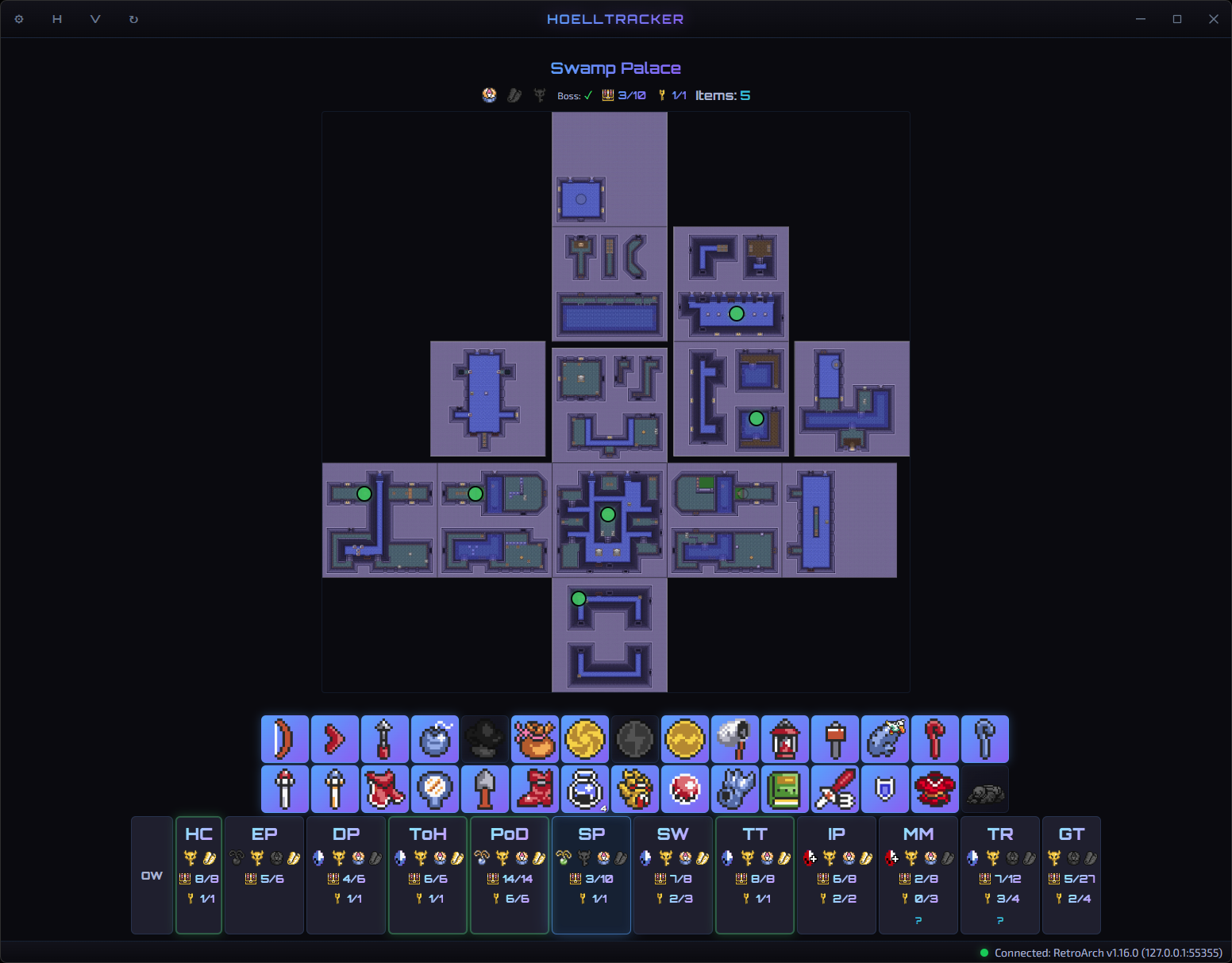
HoellTracker dungeon view auto-switched to Swamp Palace

Built For Streaming

Window-capture for vertical and horizontal streaming
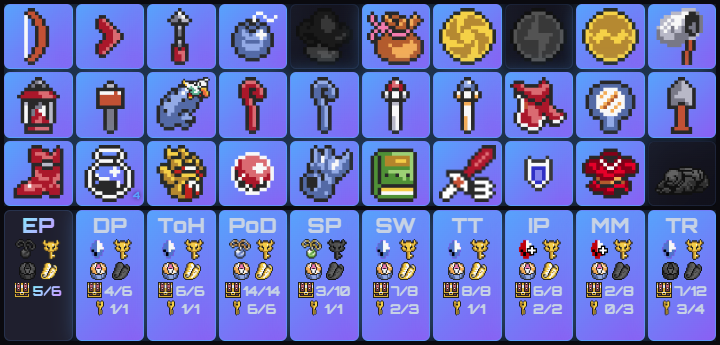
Horizontal broadcast overlay Vertical Overlay • 720×345
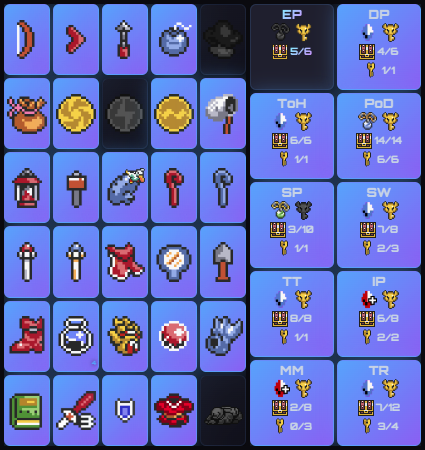
Vertical broadcast overlay Horizontal Overlay • 425×450

Tune It To Your Seed

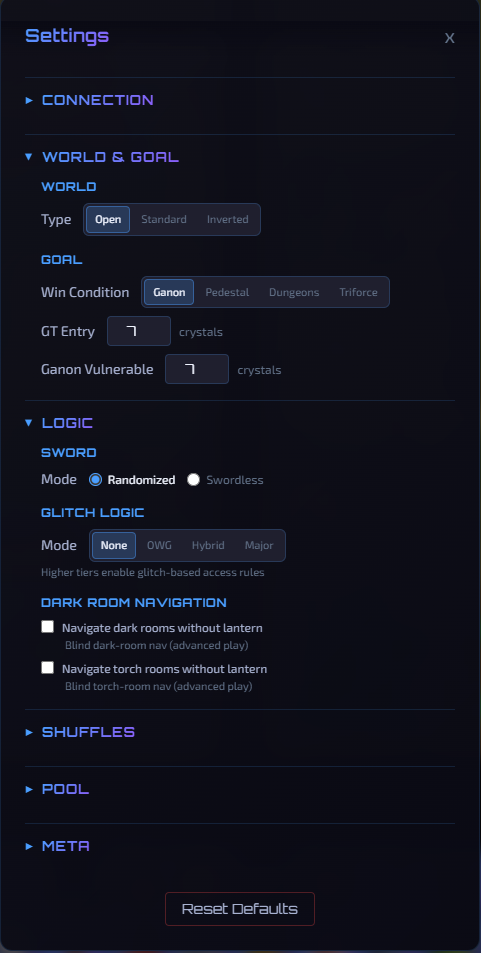
Pick your settings:

  • World type: Open, Standard, or Inverted
  • Win condition and crystal counts
  • Sword mode and glitch logic
  • Dark-room navigation toggles
  • Item pool, shuffles, and more
  • Stupid Jayzon Zane Modes (PB&J)
HoellTracker settings panel

Get Started

Up and tracking in four steps

1

Download & Install

Download the latest Windows installer from the releases page and run it.

2

Run SNI

Run SNI alongside RetroArch using the bsnes-mercury core. Enable RetroArch's network commands.

3

Load Your Seed

Load your randomizer ROM in RetroArch. HoellTracker connects automatically and begins reading memory.

4

Play!

Enjoy not getting lost!.